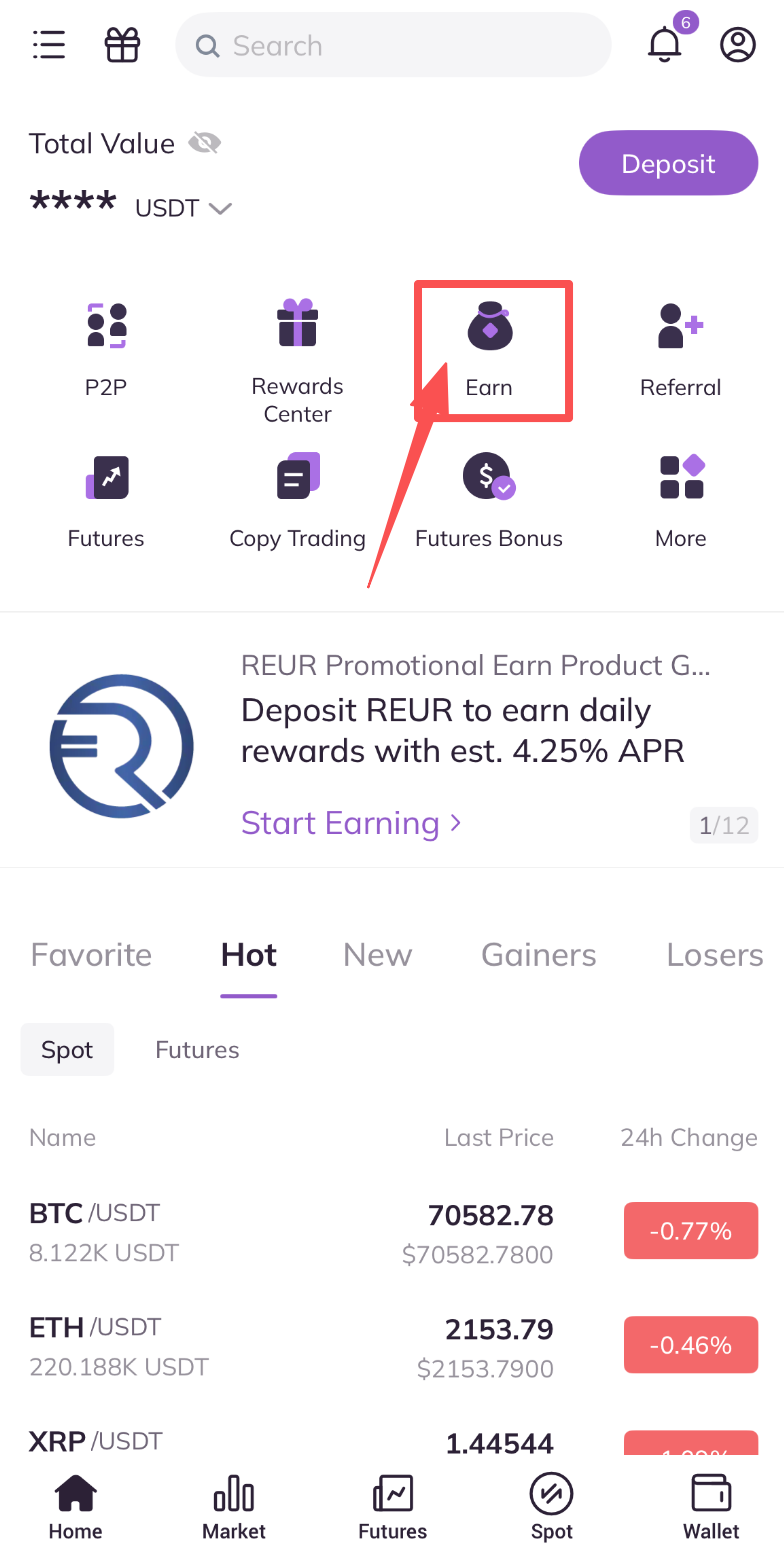
1. Open AscendEX App and then click on [Earn].
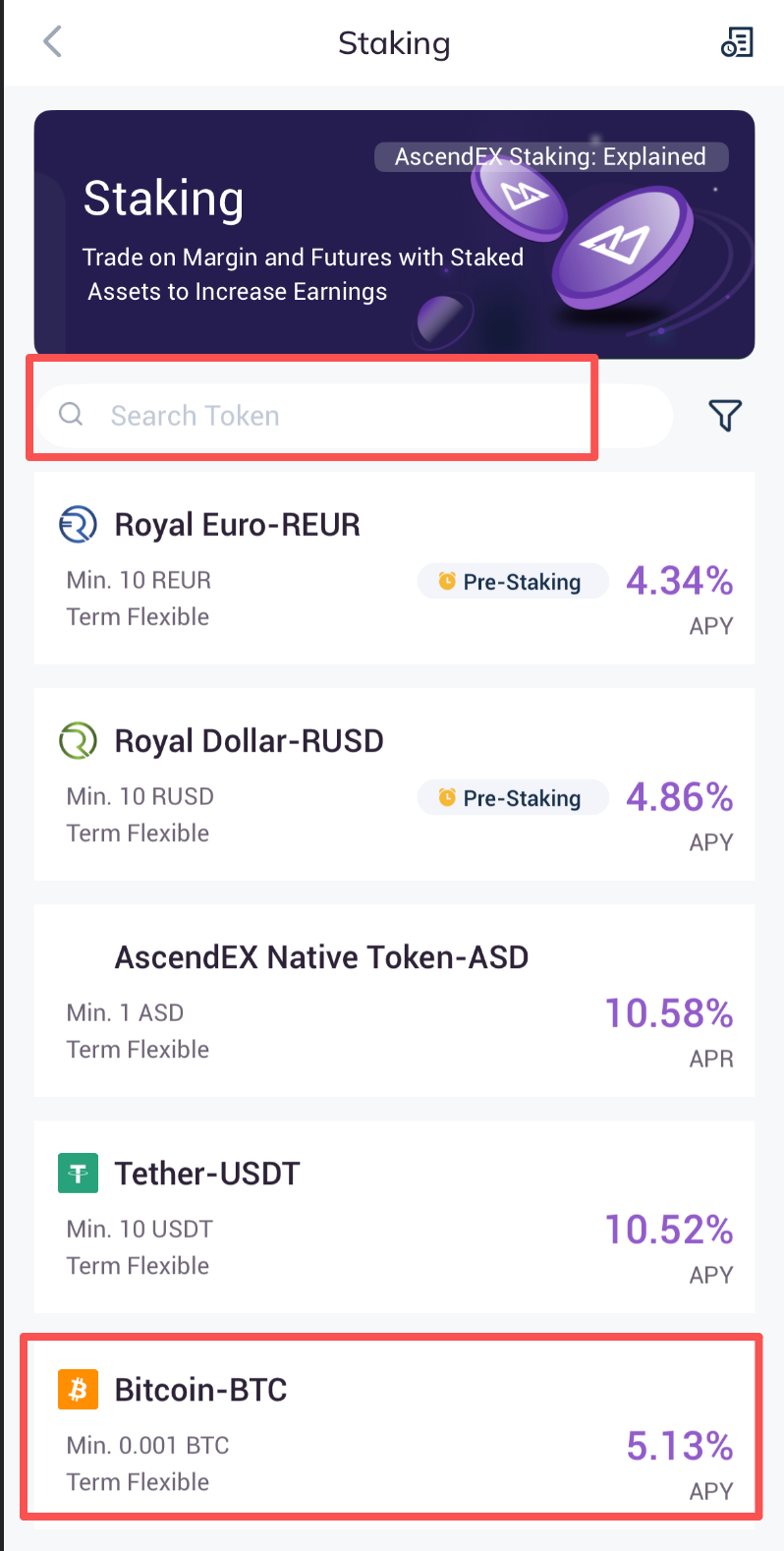
2. On the [All Staking] page, you can either search the token you want to stake or find it in the list below. Take BTC as an example.
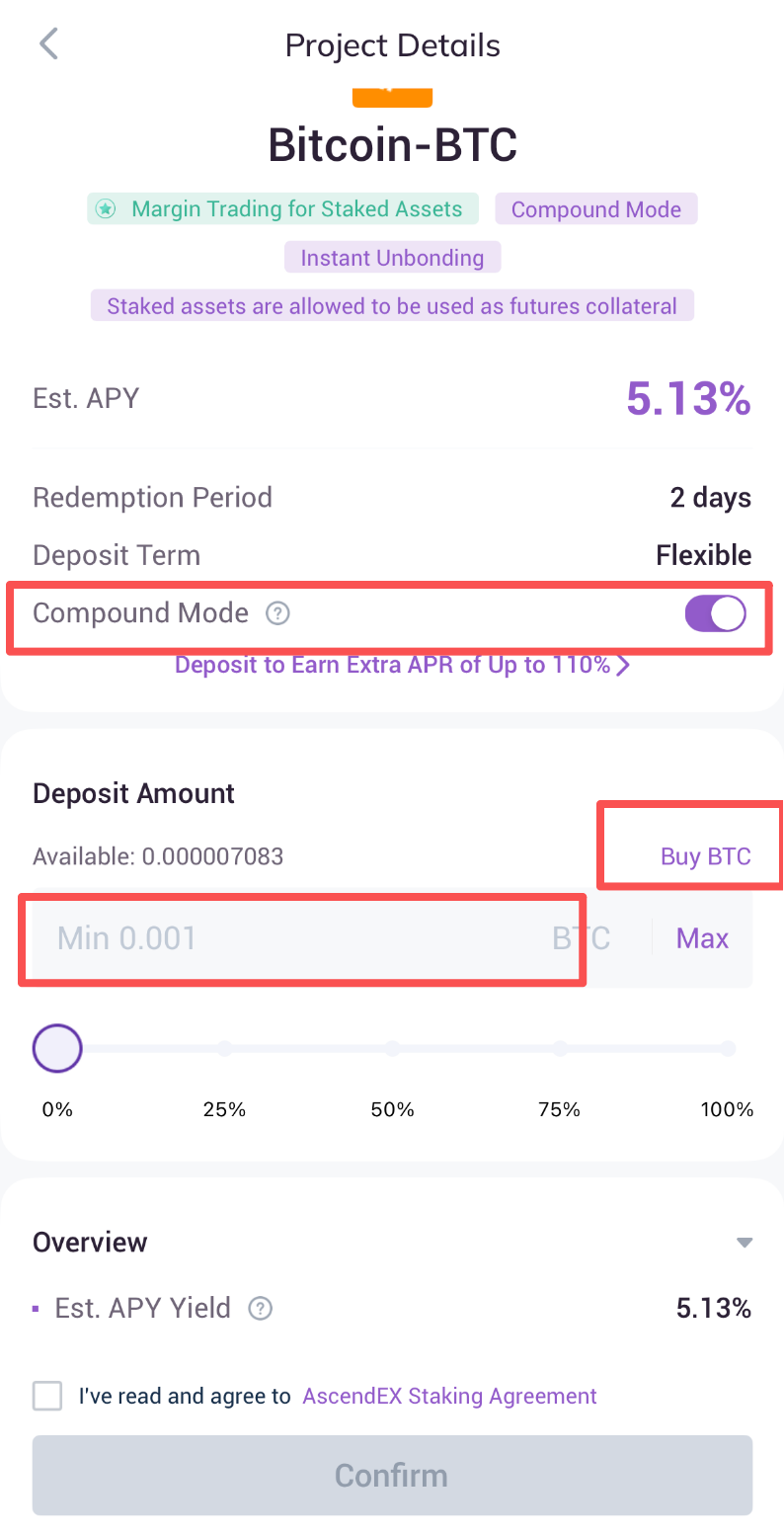
3. On the BTC Staking page:
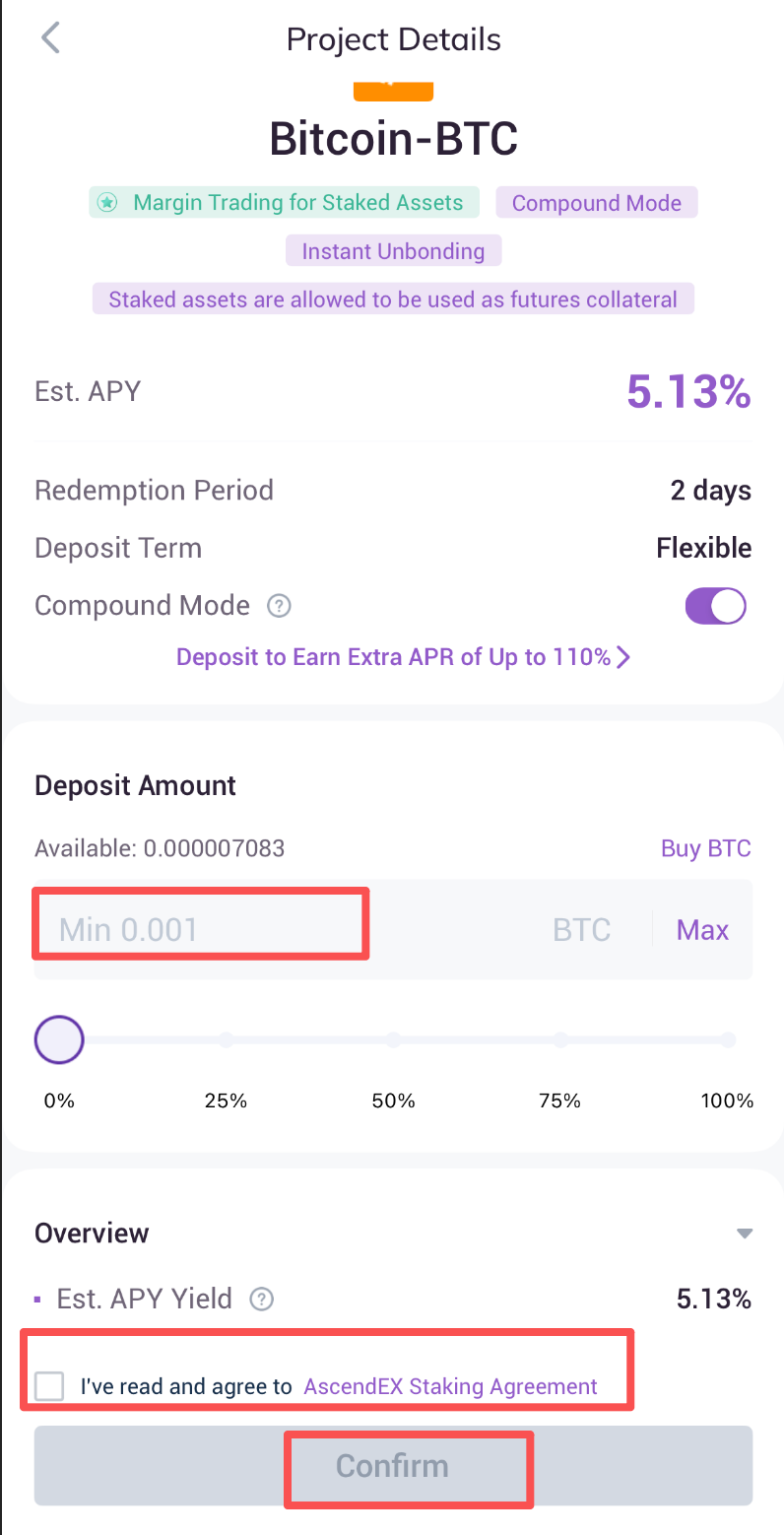
A. Activate [Compound Mode] to enable auto-redelegation of staking rewards for maximized return. You can choose to activate or deactivate [Compound Mode] at your discretion.
B. Enter a delegation amount. Please note that there is a minimum delegation amount for each supported token. The delegation amount must be higher or equal to the minimum amount.
C. If you currently don't hold any BTC tokens, click on [Buy BTC] to purchase some on the Cash Trading page. Skip the next step if you already have BTC tokens in your account.
Note :
Introduced by AscendEX, "Compound Mode" is an innovative feature that automatically redelegates the user's staking reward once it is distributed, thus compounding the returns.
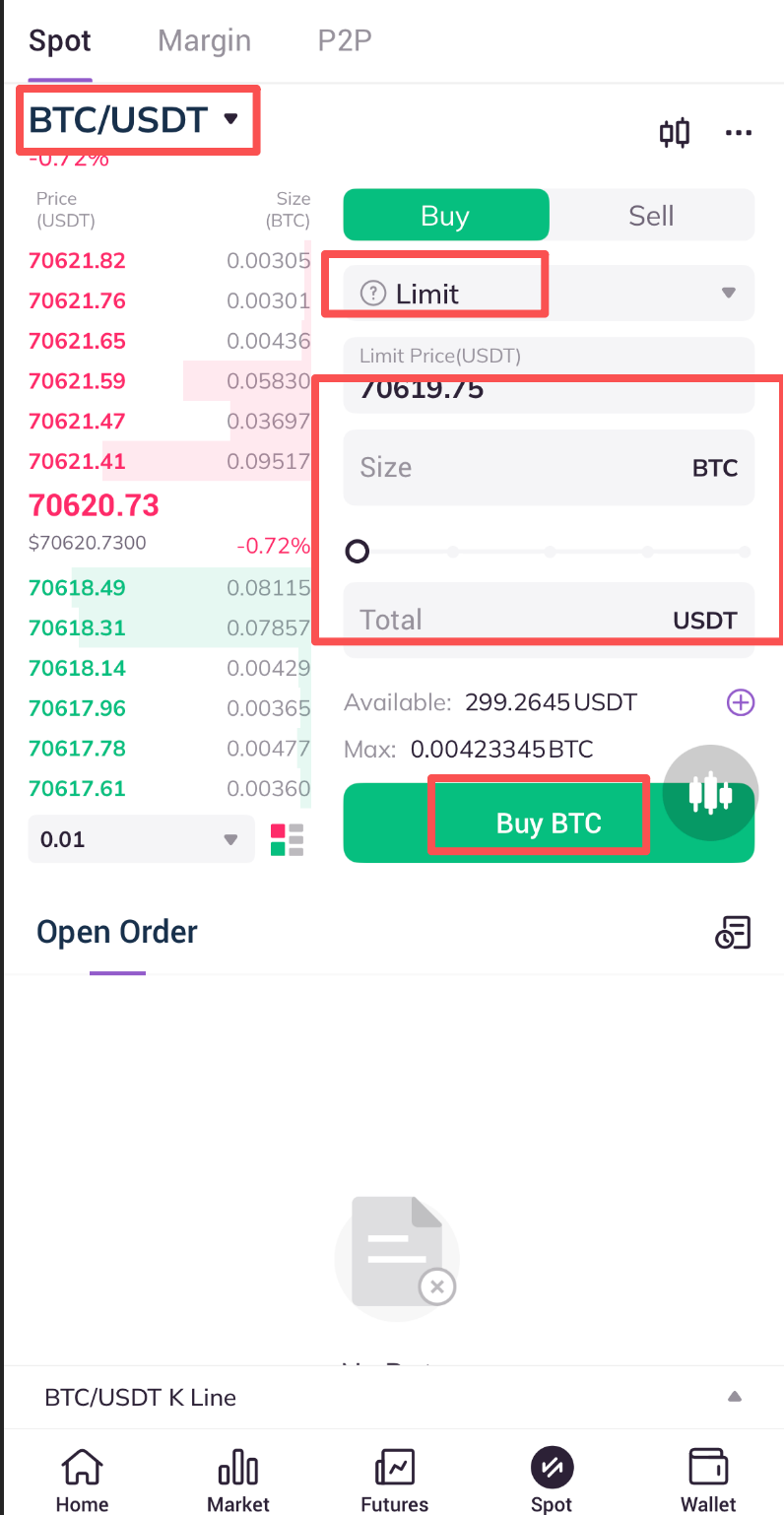
4. On the BTC/USDT cash trading page, you can purchase BTC tokens by placing a Limit Order or Market order.
A. Click on Limit/Market.
B. Enter a price (not applicable for market orders) and size.
C. Click on [Buy BTC].
5. Go back to the SWINGBY Staking page and click on [Delegate Now] to continue staking.
6. Enter a delegation amount, check the AscendEX Staking Agreement box and click on [Delegate Now] to complete.
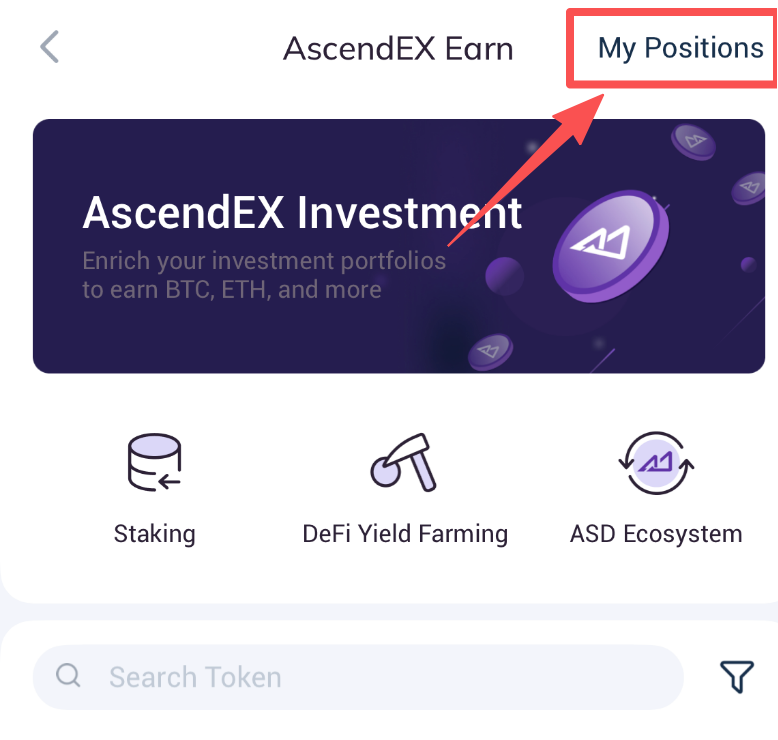
7. Staking details can be viewed under [My Positions].
Note:
Users can redeem any time after delegation. For further details, please refer to How to Redeem and Stop Staking [App].