1. Check on “My Staked Assets” Page
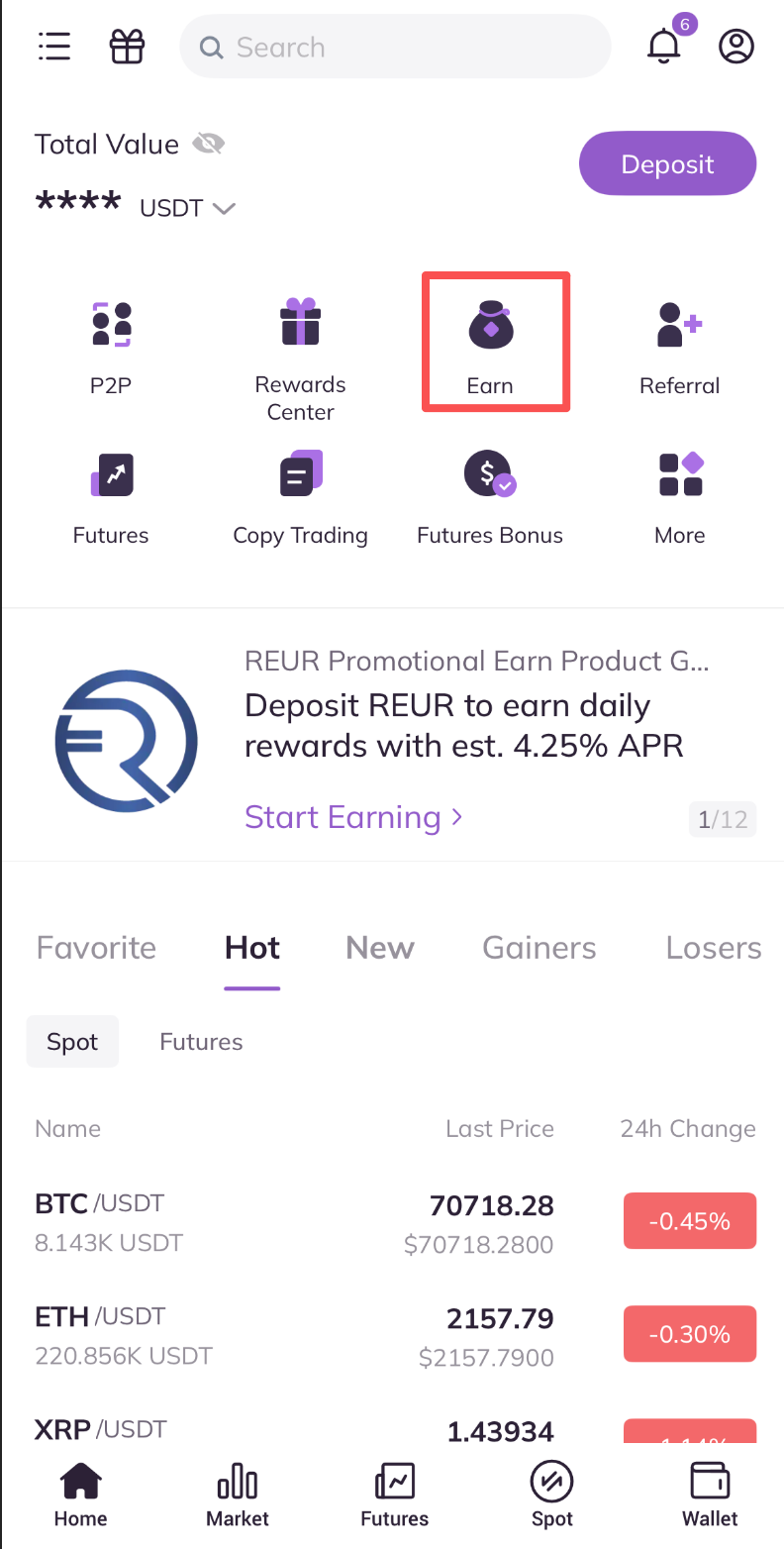
1) Open the AscendEX App and click “Earn” in the homepage.
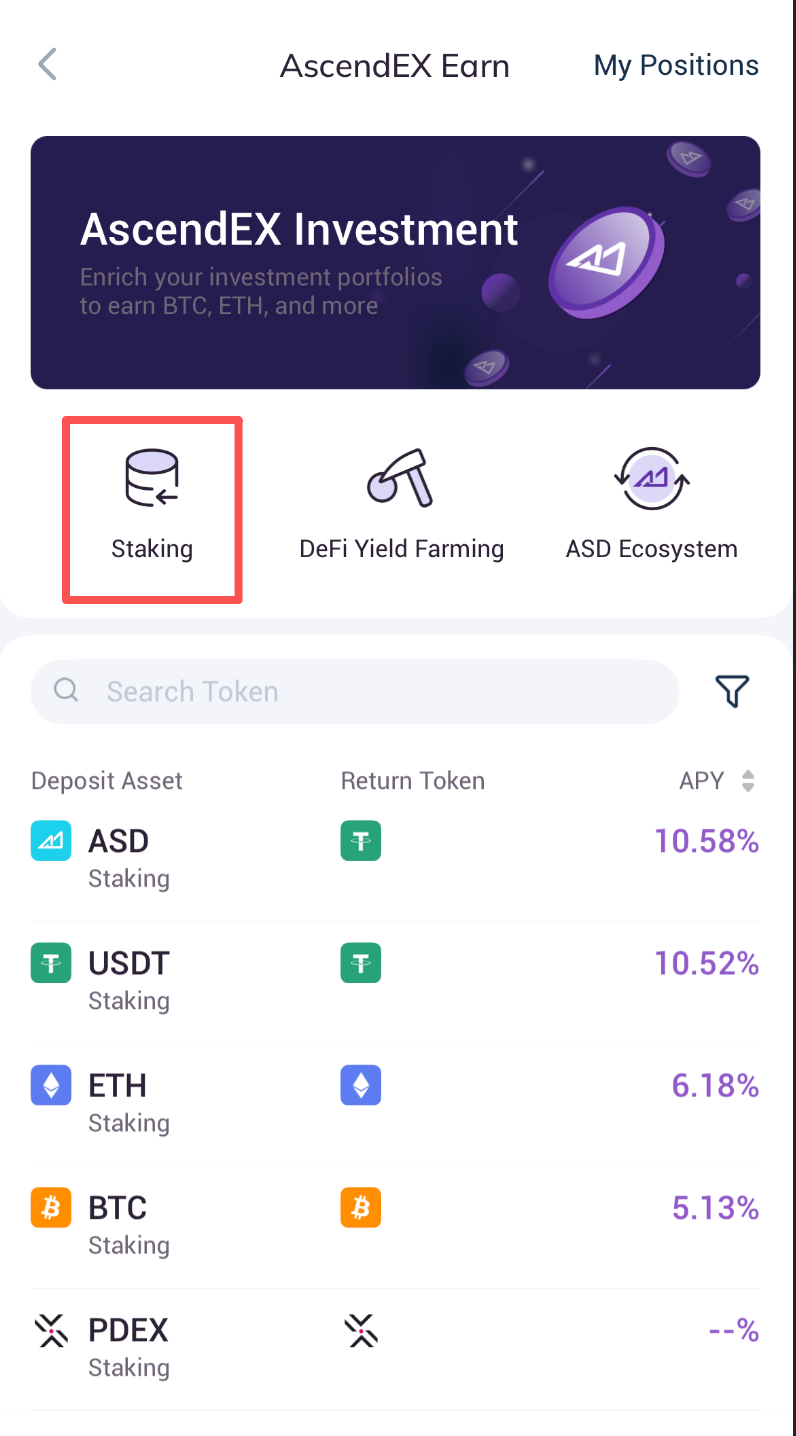
2) Press the “Staking” button on “AscendEX Earn” page.
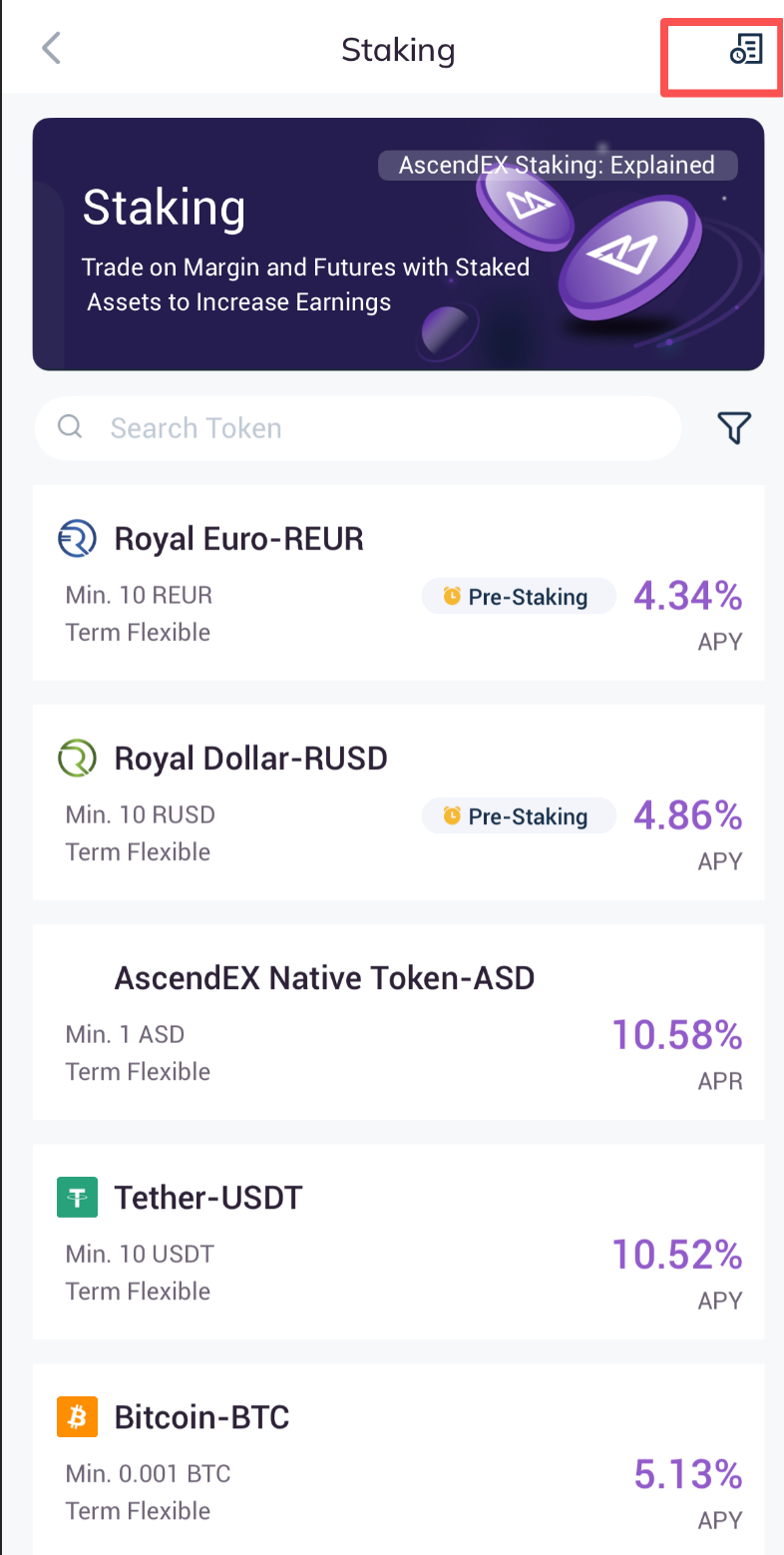
3)On the “AscendEX Staking” page, click on the icon in the upper right corner.
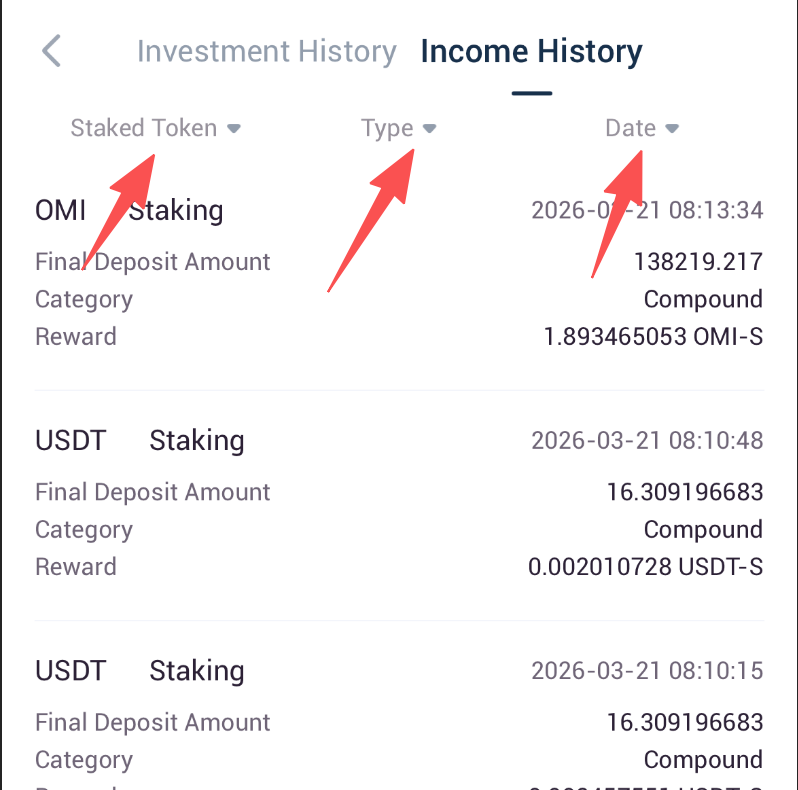
4) Enter “Investment History” page, click “Income History” to check staking reward history. You can also user filters such as token type, reward mode and date to view the details.
2. Check from “Investment History”
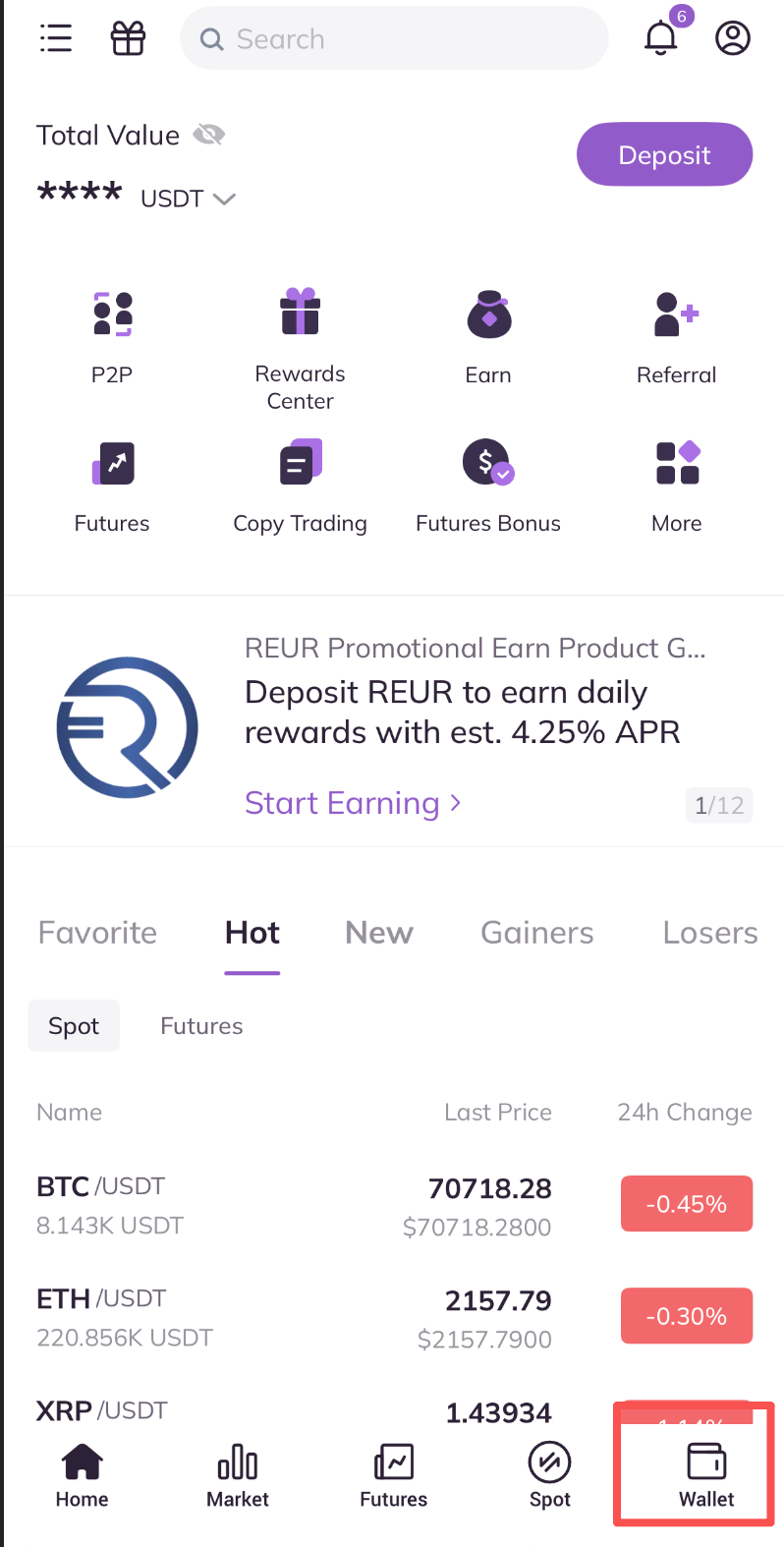
1) Open the AscendEX App and click on “Wallet” in the lower right corner of the homepage.
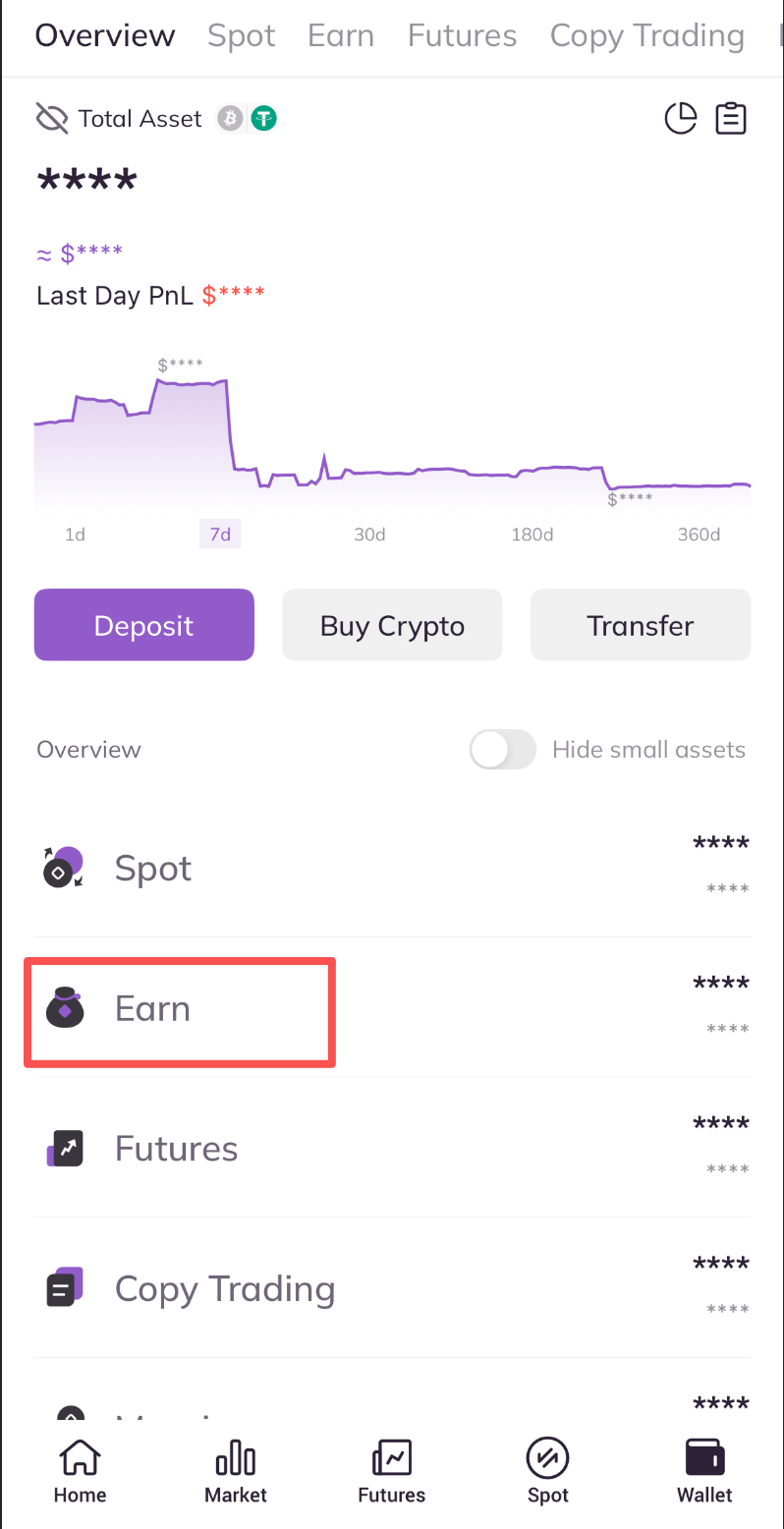
2)Press the “ Earn” button on the “Wallet” page.
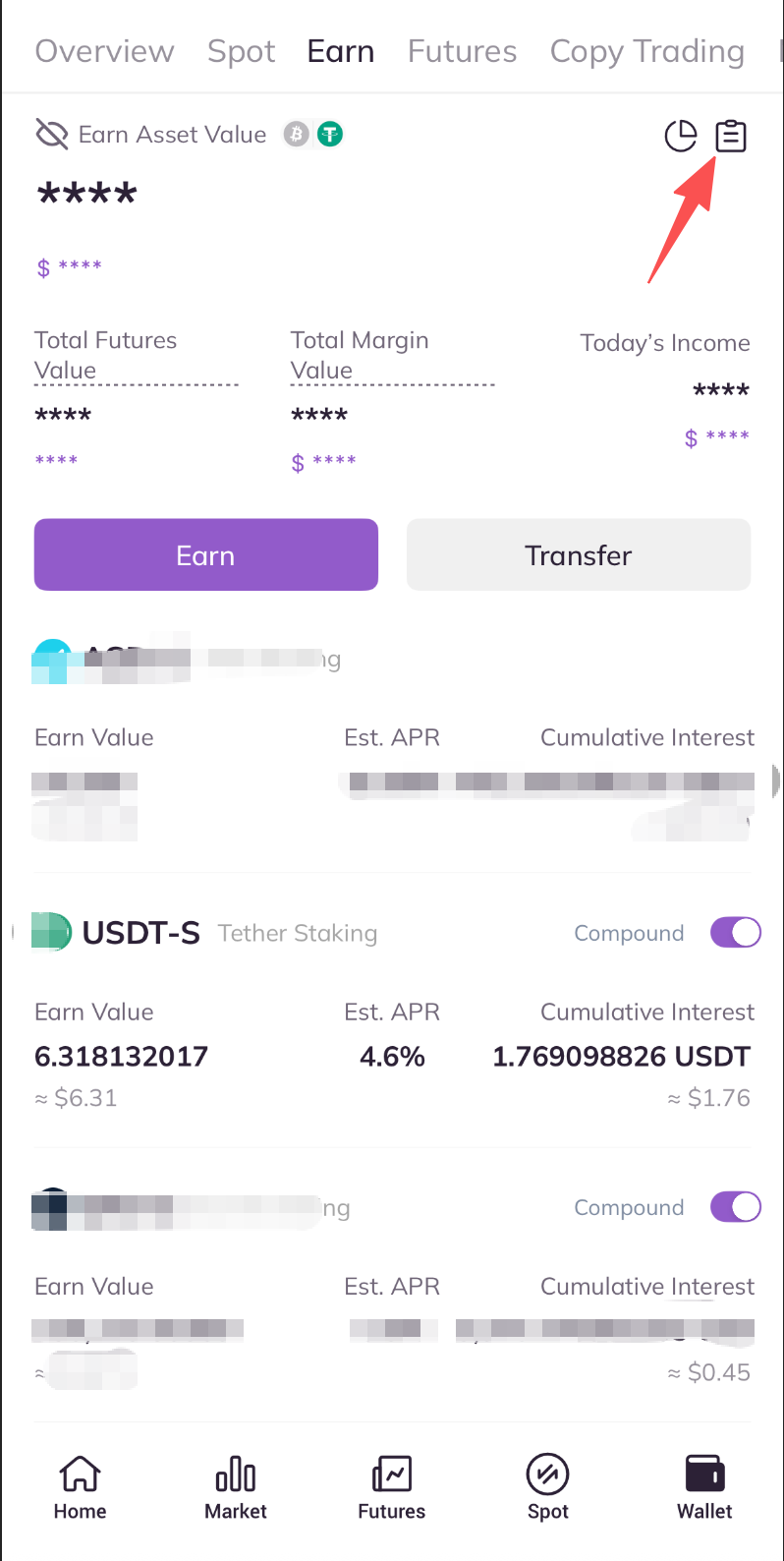
3)Enter the “Investment History” page, click on “Reward History”.
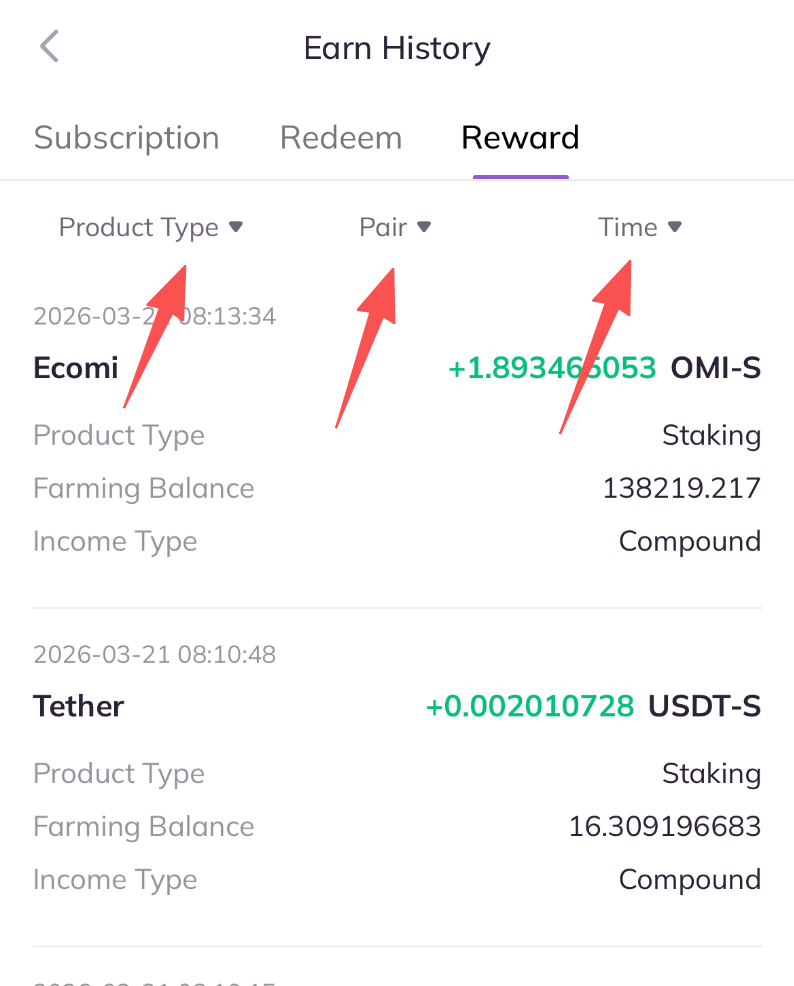
4)On “Earn History” page, you can check your staking rewards. You can also user filters such as token type, reward mode and date to view the details.