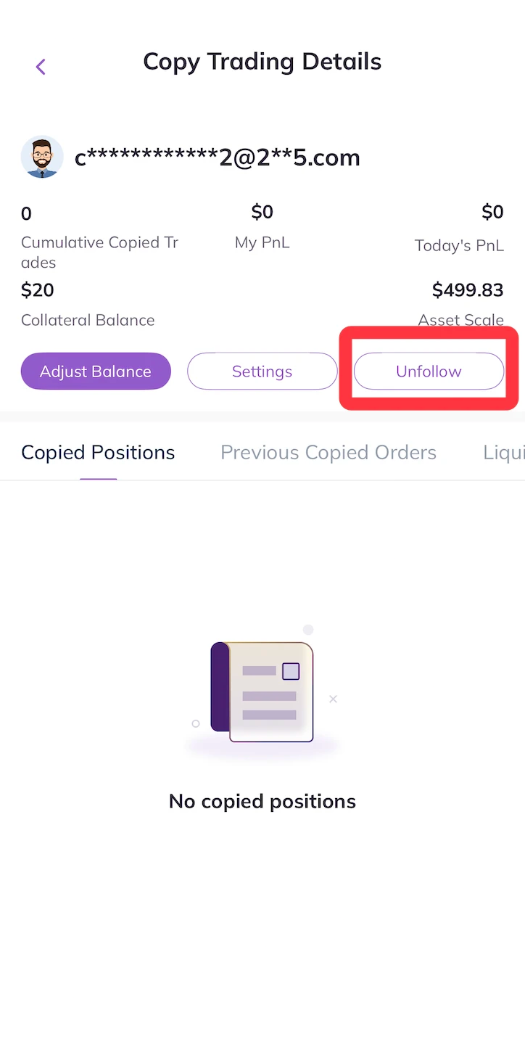
To remove a copy trading relationship, you may refer to the following steps:
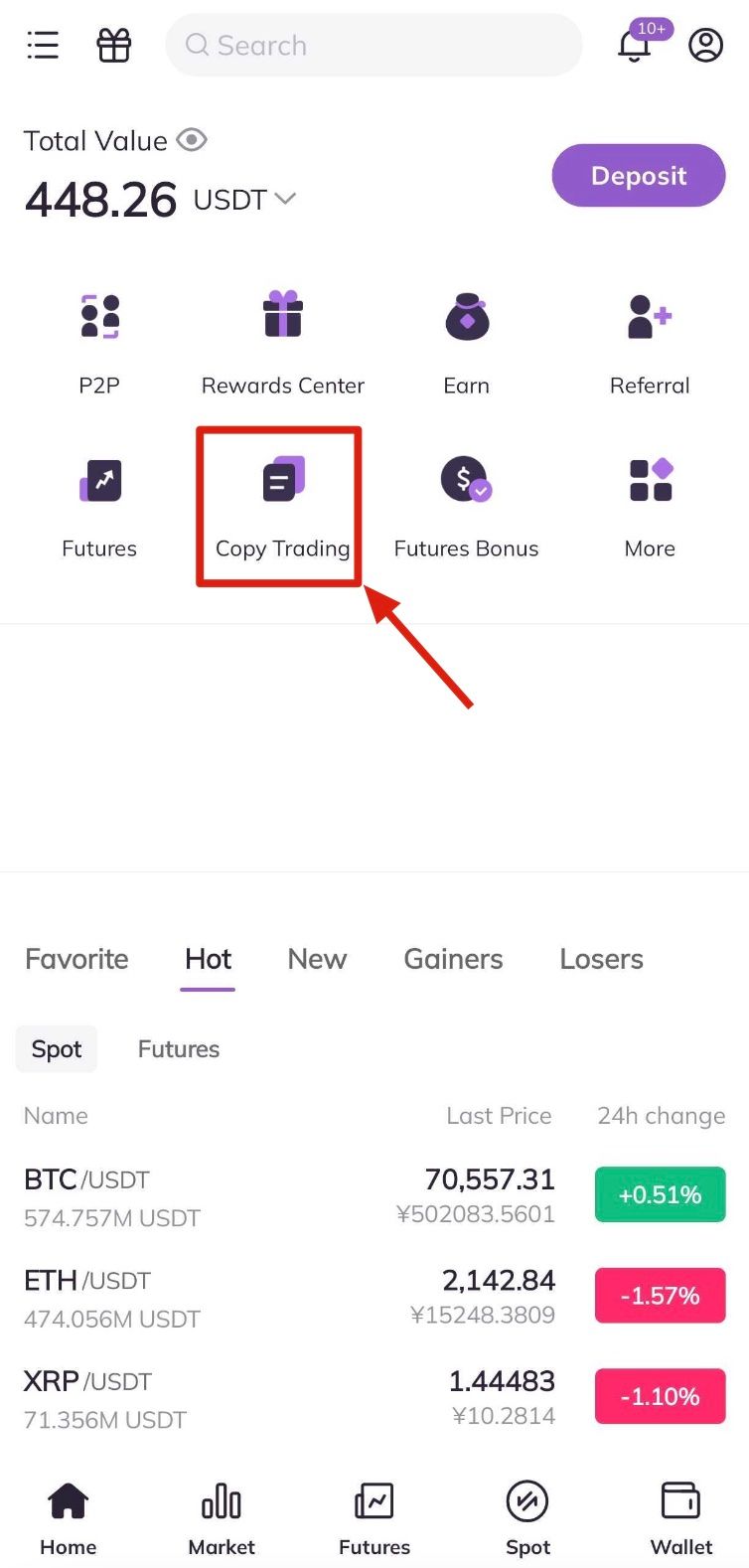
1.Log into the AscendEX app, and click on Copy Trading of the homepage.
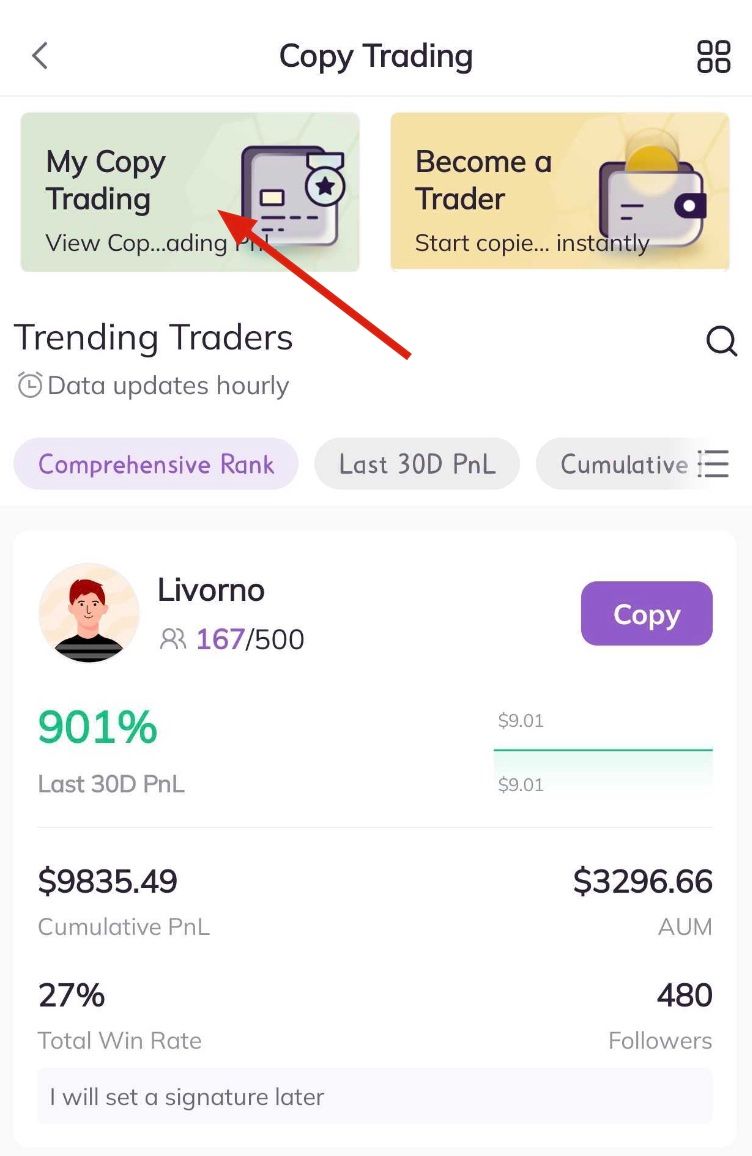
2. Enter the Copy Trading page, and click on My Copy Trading at the top of the page.
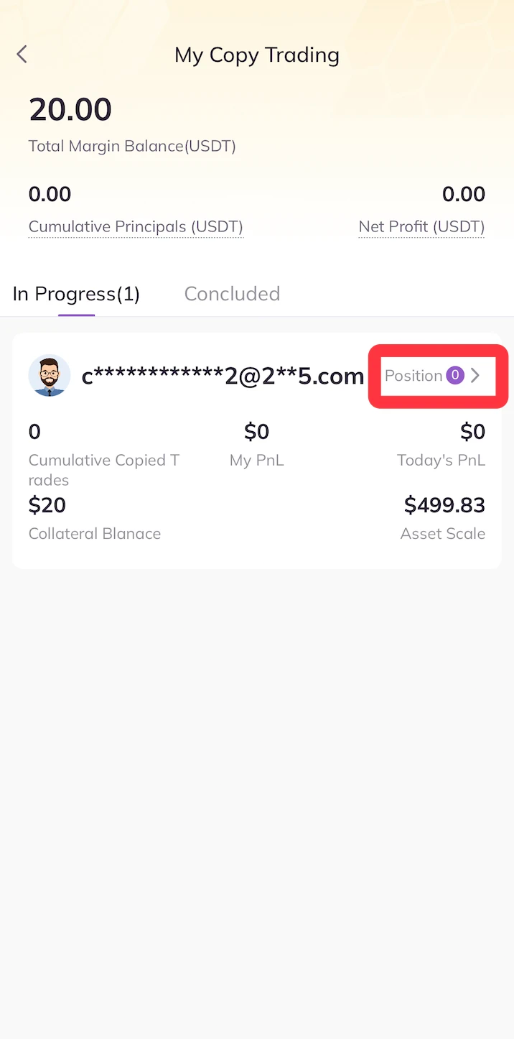
3. Click Position
4. Click Unfollow
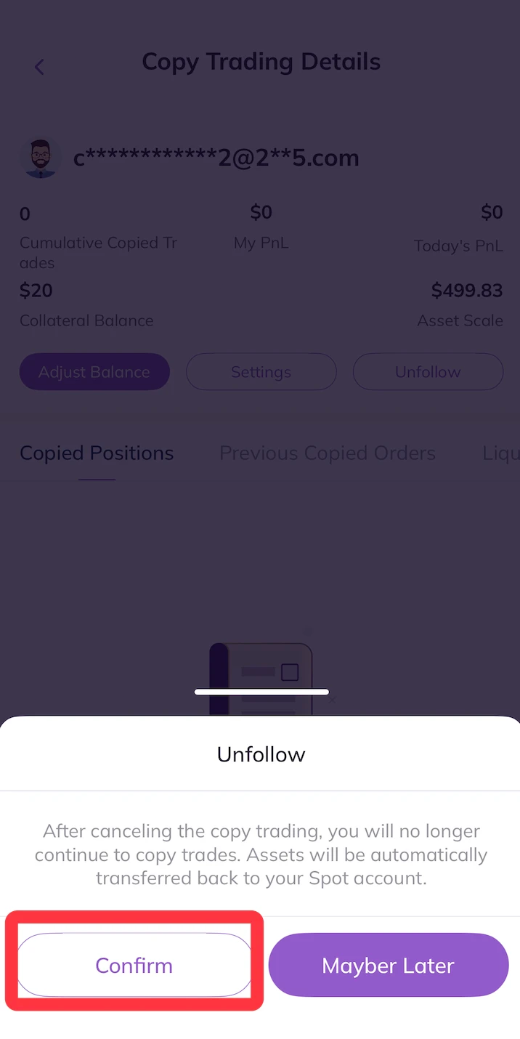
5.Click Confirm to Cancel Copy Trading